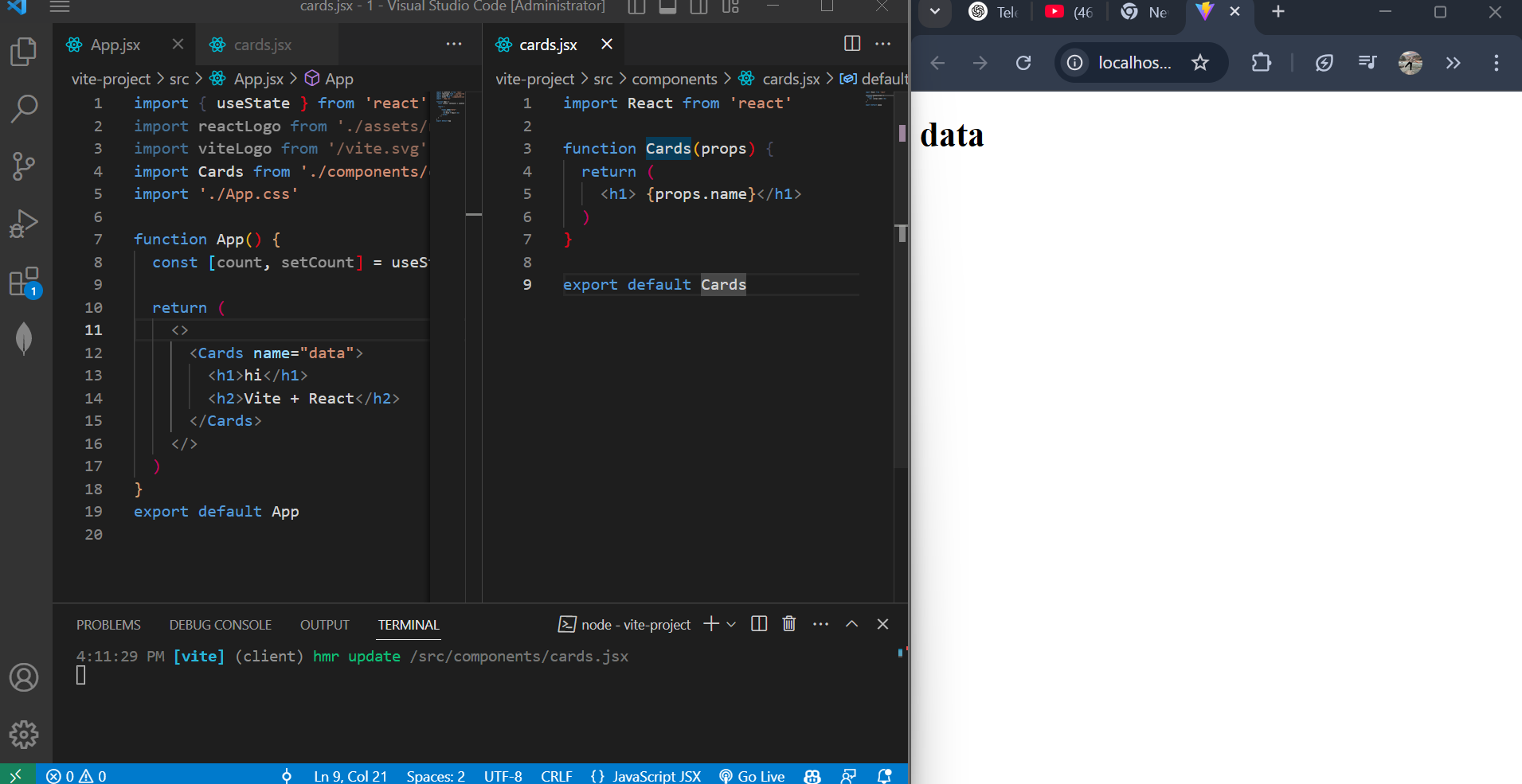
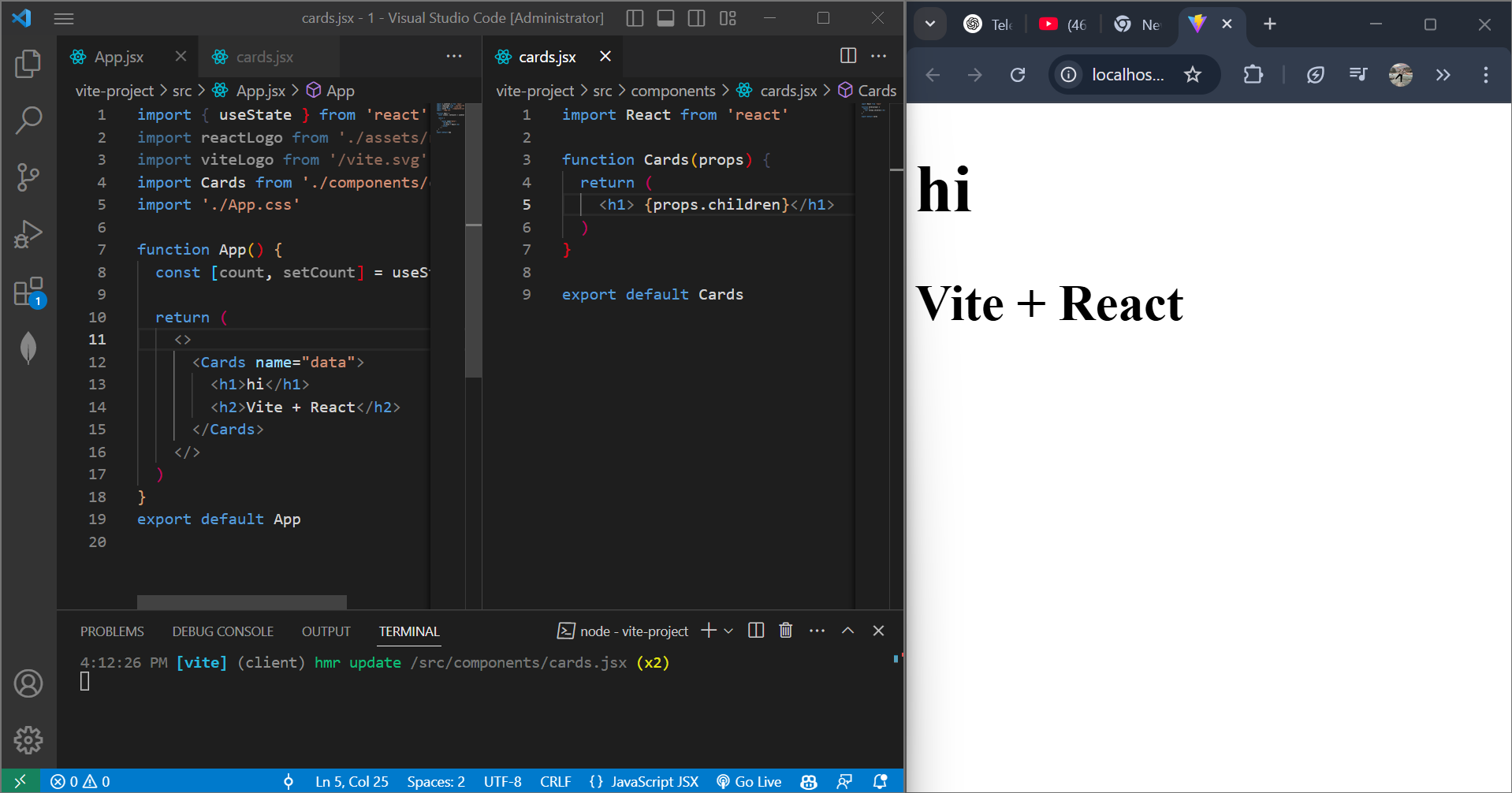
1. Passing props as children
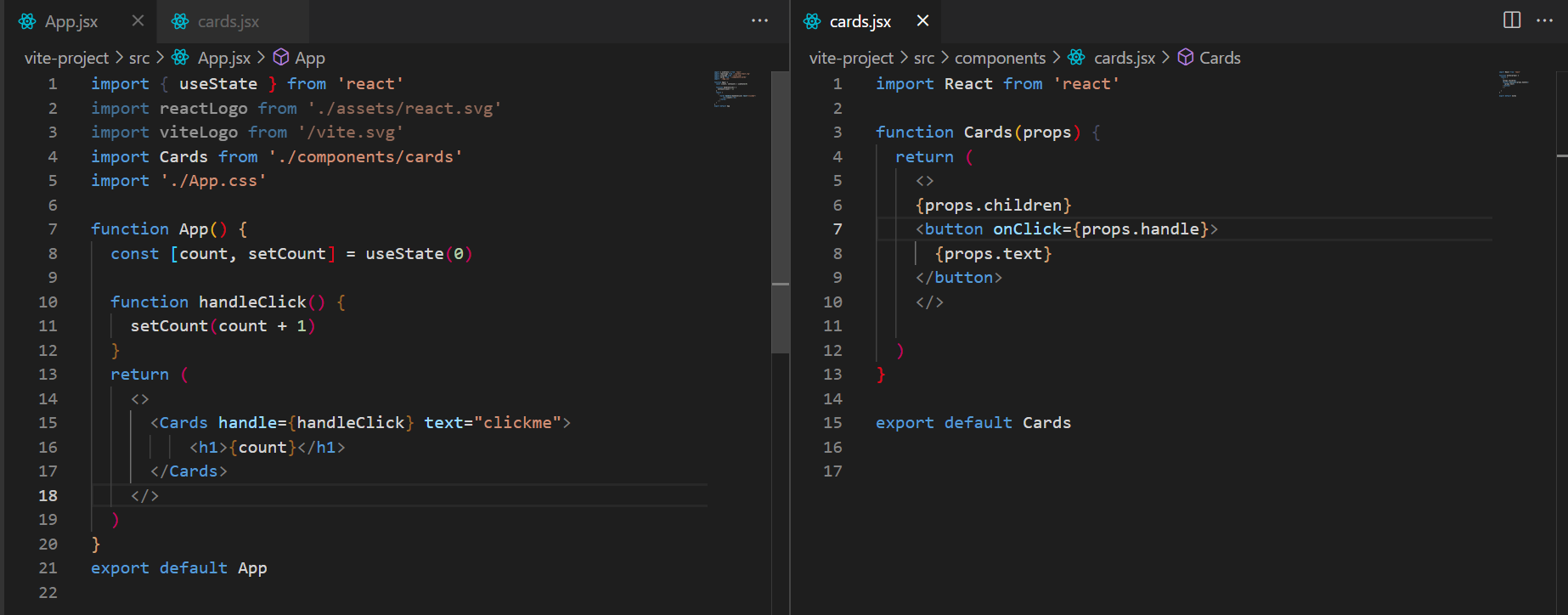
Making a button as a prop passing the function
You're doing 3 key things correctly in your code — here's a breakdown in simple terms:
✅ 1. Passing a function and text as props
In App.jsx, you're passing:
<Cards handle={handleClick} text="clickme">
handle={handleClick}→ You're passing a function to be used as theonClickhandler.text="clickme"→ You're passing a string that will be shown on the button.
✅ 2. Passing children (JSX content)
Inside <Cards>...</Cards>, you're placing:
<h1>{count}</h1>
This JSX becomes props.children in the Cards component.
So props.children = <h1>{count}</h1>
✅ 3. Using everything properly in Cards.jsx
In Cards.jsx:
<>
  {props.children}       // shows <h1>{count}</h1>
  <button onClick={props.handle}>
    {props.text}         // shows "clickme"
  </button>
</>
{props.children}→ renders the heading with the count<button onClick={props.handle}>→ uses the passed function for button click{props.text}→ sets the button's label
| Prop | What you passed | How it's used |
|---|---|---|
handle |
handleClick function |
Runs on onClick of button |
text |
"clickme" |
Displayed as button text |
children |
<h1>{count}</h1> |
Rendered inside the component |