0.Node
Node.js Overview
- Introduction to Node.js:
- Node.js is a JavaScript runtime environment that allows the execution of JavaScript on the server side.
- It was created by Ryan Dahl, utilizing the open-source Google Chrome V8 engine written in C++.
- Dahl developed a wrapper around the V8 engine to convert JavaScript code into V8-compatible code, enabling backend functionalities.
Setting Up a Node.js Project
- Open a folder in Visual Studio Code.
- Initialize npm (Node Package Manager):
- Run the command:
npm init # or use npm init -y for default settings - This command creates a
package.jsonfile in the project directory, which manages the project dependencies and metadata.
- Run the command:
In Node.js, EJS and ESM refer to two different concepts that often get mixed up due to their similar acronyms:
-
EJS (Embedded JavaScript):
- EJS is a templating language that lets you generate HTML using JavaScript code. It’s useful when you want to create dynamic HTML pages.
- You can insert JavaScript code directly in your HTML by using
<% %>tags. - Example: It’s often used in Express apps for rendering HTML pages with dynamic content.
-
ESM (ECMAScript Modules):
- ESM is a standard way to handle JavaScript modules. It allows you to import and export code between different files using
importandexportstatements. - ESM is the modern module format in JavaScript and is now natively supported in Node.js (with
.mjsfiles or by setting"type": "module"inpackage.json). - Example: ESM helps organize code by separating it into smaller modules, which makes it reusable and easier to manage.
- ESM is a standard way to handle JavaScript modules. It allows you to import and export code between different files using
Key Difference:
- EJS is a template engine for generating HTML.
- ESM is a module system for structuring and sharing JavaScript code across files.
cjs
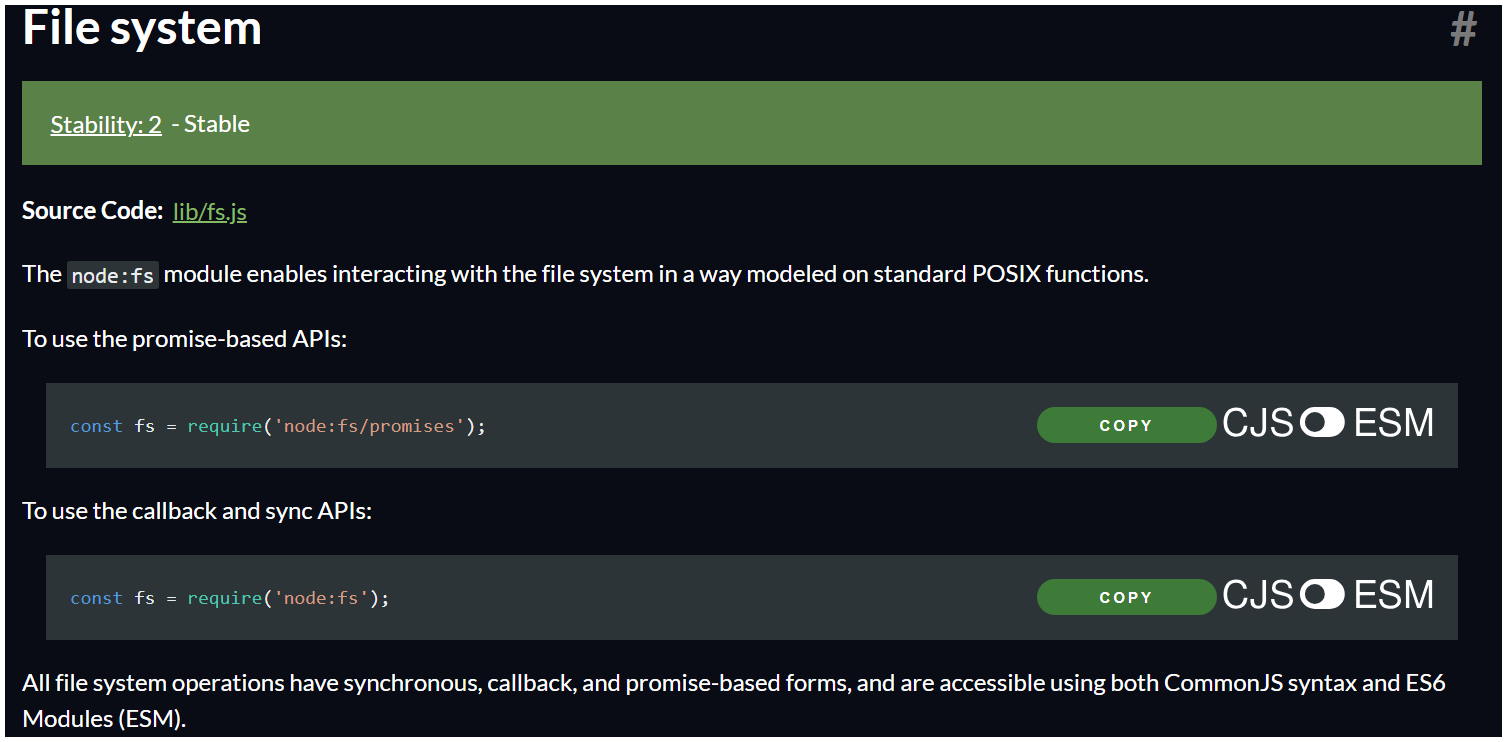
ESM
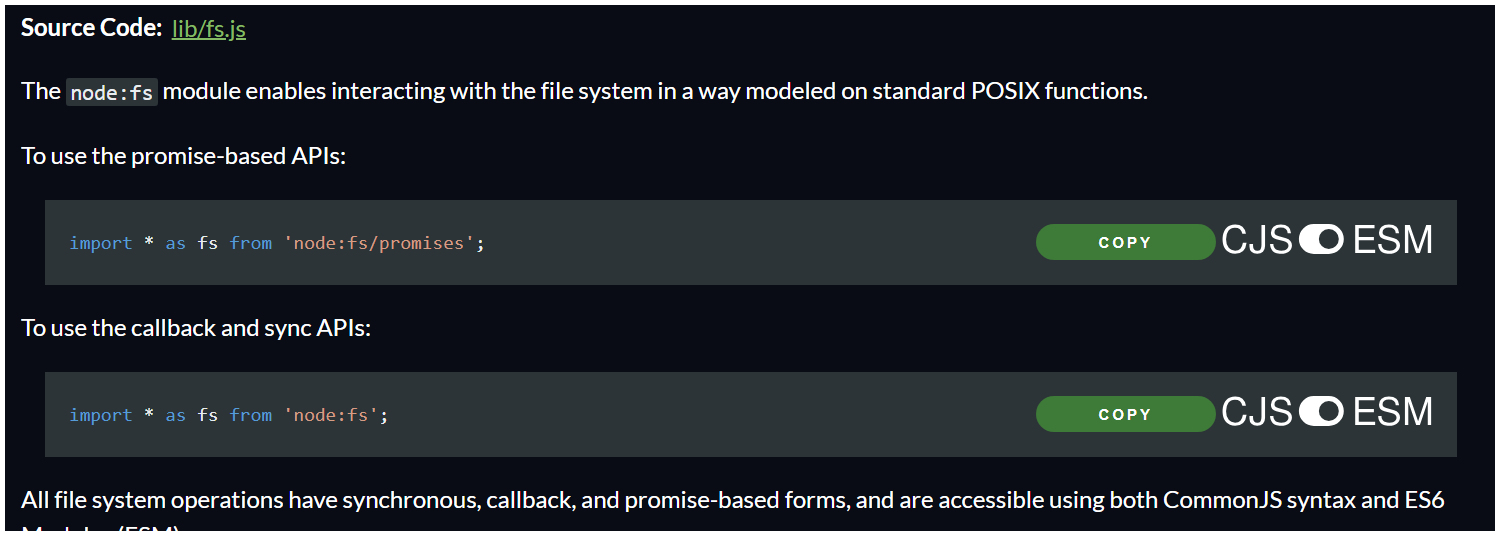
https://nodejs.org/docs/latest/api/fs.html
Npm scripts (run/test)
-
NPM Start and Test Commands
"npm start" and "npm test" are special commands in NPM that you can run directly without adding "run" because they’re set up in your system automatically. -
How Commands Work in the System
Your operating system has a list of known commands, so when you type "npm start," it recognizes it immediately. But if you type something random, it won’t recognize it and will show an error. -
Using 'npm run' for Custom Commands
For any custom scripts you add (other than start and test), you need to type "npm run" first. This tells NPM to look for the command in your package.json scripts. -
Creating Your Own Commands
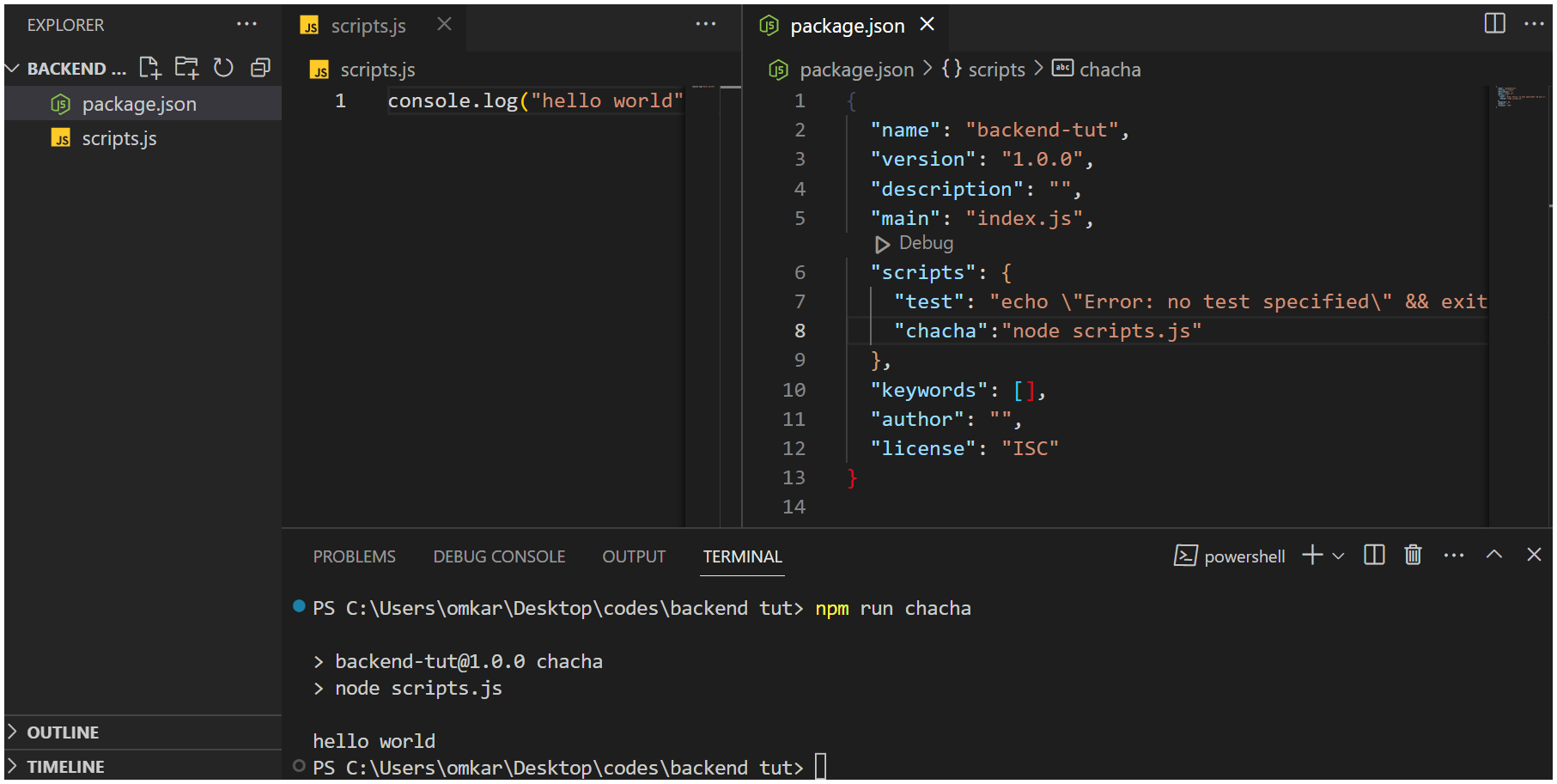
You can make custom commands by adding them to the "scripts" section in your package.json file. For example, you could add a command called "chacha" and then run it with "npm run chacha." -
Running Custom Commands Example
In the example, a script called "chacha" is created to print a message. Running "npm run chacha" then prints the message, showing how to use custom commands in NPM.